Changelog 2023 08 09
History retention and point-in-time restore
Section titled “History retention and point-in-time restore”You can now configure the history retention period for a Neon project. History retention enables point-in-time restore, allowing you to restore data to any point within the retention period. By default, Neon retains a 7-day history of data changes for all branches. The supported history retention range is 0 to 7 days for Free Tier users, and 0 to 30 days for Pro plan users.
The History retention setting is located in the Neon Console under Project settings > Storage. 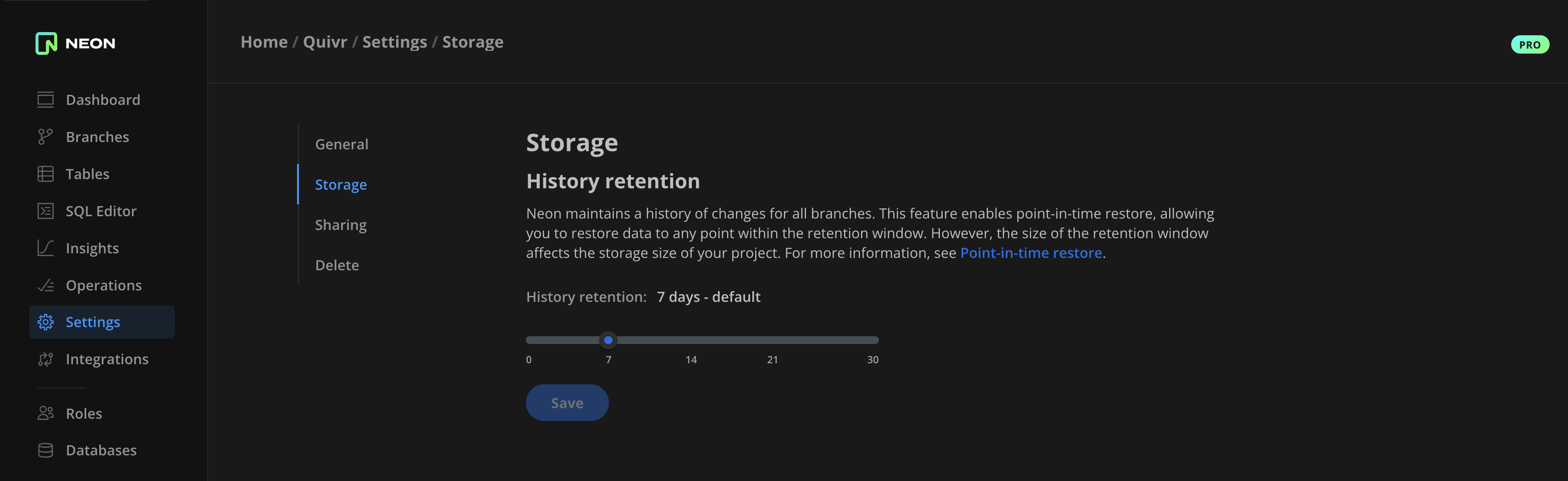
Configurable Scale to zero
Section titled “Configurable Scale to zero”After an extensive testing period, we are pleased to announce that our Configurable scale to zero feature has successfully transitioned out of Beta. This feature controls when a Neon compute instance scales to zero due to inactivity. For more information, see Configuring Scale to zero for Neon computes.
Fixes & improvements
Section titled “Fixes & improvements”-
API: The Create branch API method now creates a branch from the project's default branch if a
parent_idis not provided in the create branch request. -
API: Deprecated the
pooler_enabledattribute in the Create endpoint API method. This attribute is no longer required, as you can now enable connection pooling by adding a-poolerflag to a database connection string. See How to use connection pooling. -
UI: The Compute widget on the Neon Dashboard now displays the Active computes limit for your Neon project. There is a default limit of 20 simultaneously active computes to protect Neon accounts from unintended or unexpected usage. Neon Pro plan users can have the limit increased by submitting a request to our support team.
-
UI: Fixed an issue on the Downgrade dialog accessible from the Neon Pro plan Billing page that prevented selecting a reason for downgrading.
-
UI: Fixed dark theme styling issues.