Support for pgvector 0.7.0, Drizzle Studio in the Neon Console, Postgres version updates, and more
Support for pgvector 0.7.0
Section titled “Support for pgvector 0.7.0”Neon now supports pgvector version 0.7.0.
This new version adds the following features and enhancements:
- New vector types:
halfvec(up to 4,000 dimensions) andsparsevec(up to 1,000 non-zero elements) - Support for indexing
bittype (up to 64,000 dimensions) for binary vectors - Support for quantizing vectors using the
binary_quantizefunction - New distance functions:
hamming_distanceandjaccard_distance - HNSW indexing for L1 distance operations
- Support for CPU dispatching for distance functions on Linux x86-64
For the official list of updates, refer to the pgvector changelog. For documentation related to these new capabilities, please see the pgvector readme.
For edge-case behavior differences noticed during our testing, please see Differences in behavior between pgvector 0.5.1 and 0.7.0.
If you installed this extension previously and want to upgrade to the latest version, please refer to Update an extension version for instructions.
Drizzle Studio in the Neon Console
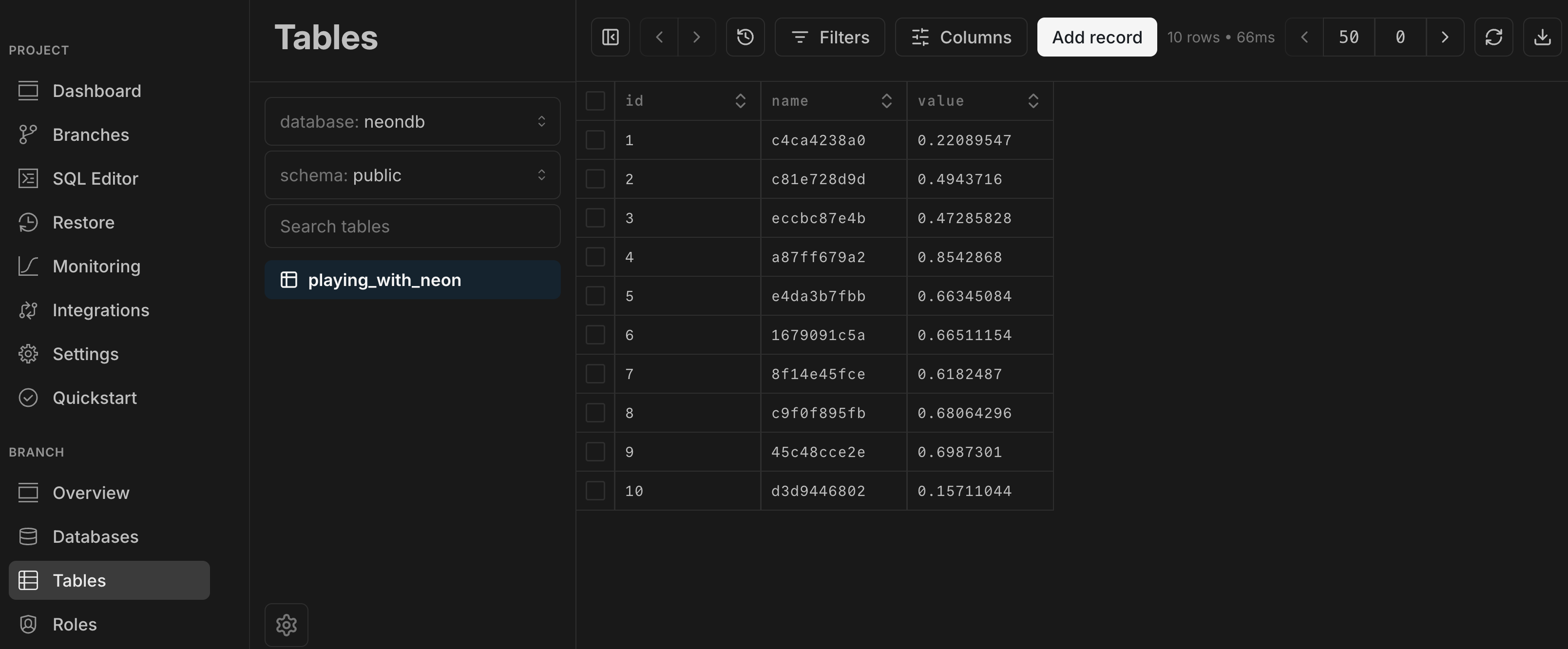
Section titled “Drizzle Studio in the Neon Console”We're excited to announce that the Tables page in the Neon Console, which lets you explore the tables and data in your Neon databases, is now powered by Drizzle Studio. This integration introduces several new capabilities to the Tables page, including the ability to add, update, and delete records, filter data, add or remove columns, drop or truncate tables, and export data in .json and .csv formats.
Postgres version updates
Section titled “Postgres version updates”The Postgres versions supported by Neon have been updated to 14.12, 15.7, and 16.3, respectively.
Fixes & improvements
Section titled “Fixes & improvements”- The Neon CLI connection-string command and the Neon API Get connection URI method now generate a connection URI with a
postgresql://scheme designator instead of the shorterpostgres://designator. While both scheme designators are valid, we found the longer version to be more widely supported. - Added validation for Scale to zero minimum settings. For setting details, see Scale to zero limits.
- Added a Charges to date field to the Billing summary section of the Billing page.
- You can now access the Edit compute endpoint modal from the Branches widget on the Dashboard by clicking the compute endpoint link.
- Fixed an issue on the Branches page that prevented a new branch from being listed immediately after it was created.
- Fixed a styling issue that prevented the "Forgot password?" link from being fully visible on the Neon sign-in page while in dark mode.