Changelog May 16, 2025 - Neon
Neon Data API, Neon credits, collapsible console sidebar, and more
Introducing the Neon Data API (Early Access)
Section titled “Introducing the Neon Data API (Early Access)”We're excited to announce the Neon Data API, now available in Early Access! Instantly turn your Neon Postgres database into a REST API. No backend required. Query tables, views, and functions right from your client app using standard HTTP verbs (GET, POST, PATCH, DELETE), powered by PostgREST.
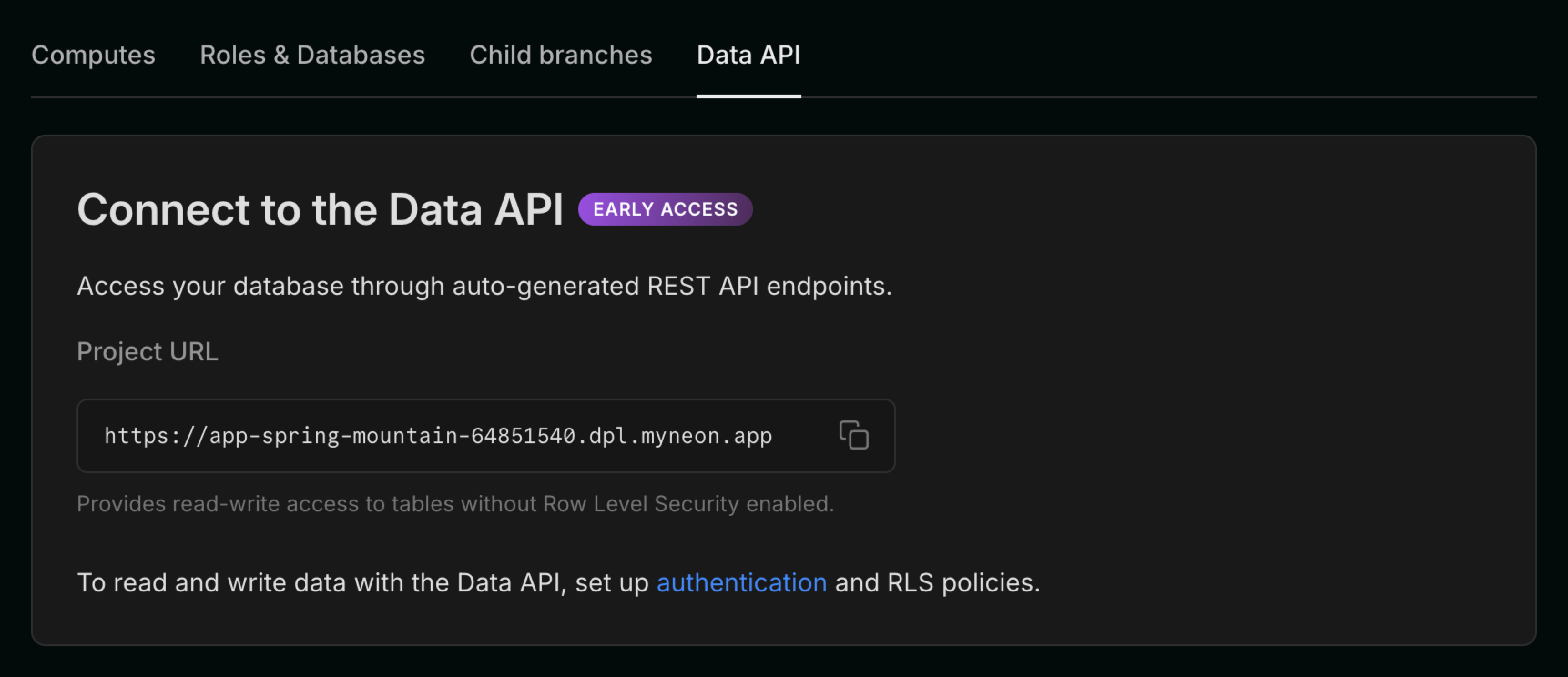
What can you do with the Neon Data API?
- Query your database from any client using HTTP or PostgREST-compatible SDKs (
postgrest-js,postgrest-py,postgrest-go) - Secure your API with Neon Auth or your own JWKS
Once enabled, you'll get a unique API endpoint for your project. Here's how you might query your data from postgrest-js:
const { data, error } = await postgrest
  .from('notes')
  .select('id, title, created_at, owner_id, shared')
  .eq('owner_id', user.id)
  .order('created_at', { ascending: false });
Want to try it?
The Data API is in Early Access and requires an invite. Message us from the Console or on Discord and we'll get you set up.
Learn more in our getting started guide.
Neon credits
Section titled “Neon credits”We’ve launched a new Neon credit system in the console that we'll use for promotions, referrals, and goodwill. To test the new system, we're offering a $20.00 credit to Free plan users who upgrade to a paid Neon plan.
The credit will appear at the top of the Neon console and is automatically applied to your account when you upgrade.

Drizzle Studio
- The Drizzle Studio integration that powers the Tables page in the Neon Console has been updated to version 1.0.21. For the latest improvements and fixes, see the Neon Drizzle Studio Integration Changelog.
Fixes
- Fixed an issue that caused an
Org not founderror to be displayed in the Neon Console immediately after creating a new org.
Neon API
- The Retrieve project consumption metrics API now returns a
logical_size_bytes_hourvalue, which is the logical data size consumed on an hourly basis.
Neon Console
- We updated the Create project modal launched from the New Project button on the Projects page to use the newer modal used elsewhere in the console.
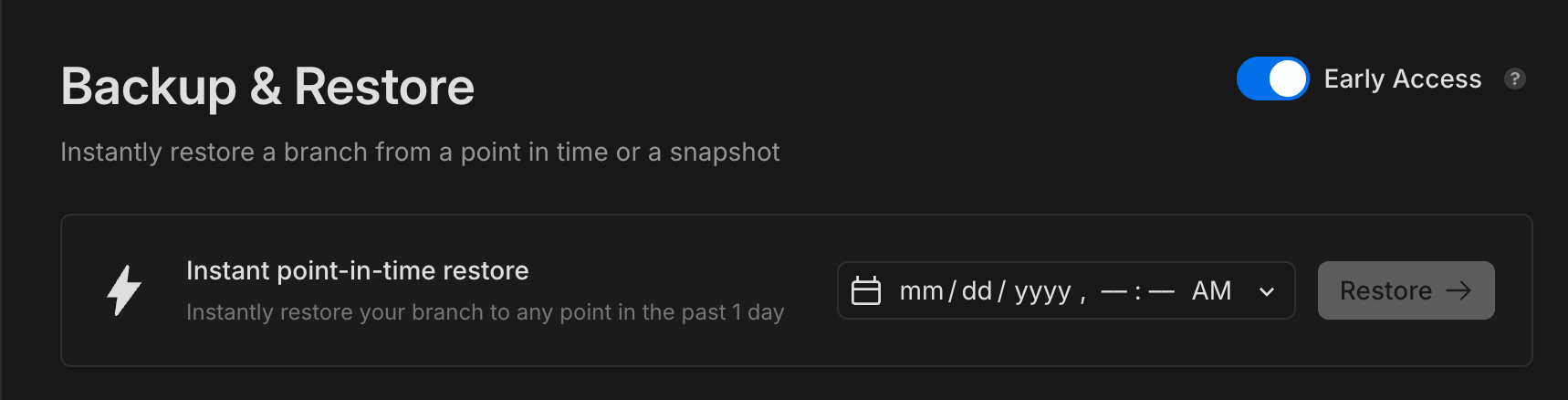
- The new Backup & Restore page (available to Early Access users) which supports snapshots can now be enabled via a toggle. The toggle lets you switch back and forth between the new Backup & Restore page and the current Restore page. To learn more, see Backup & Restore.
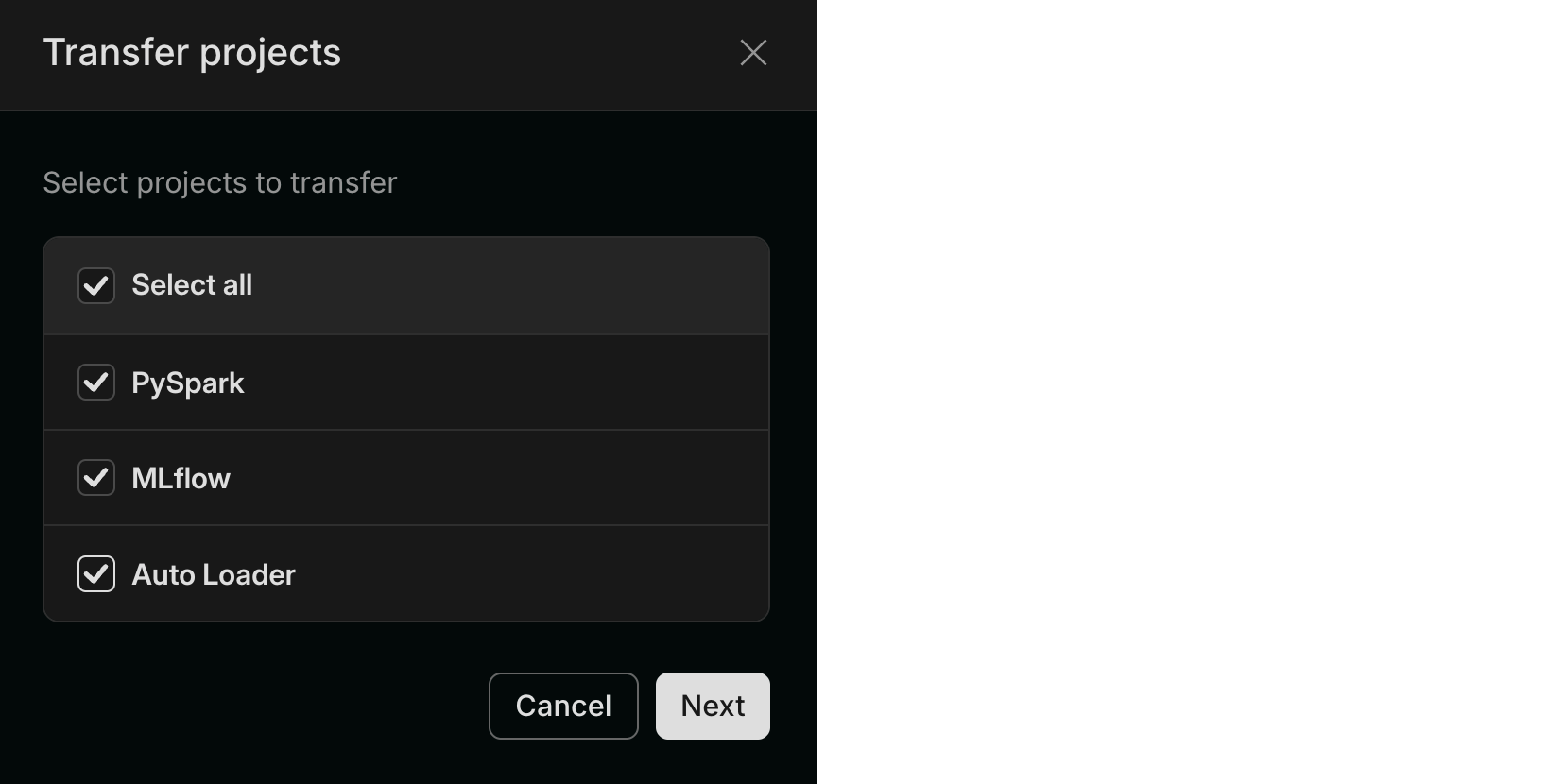
- We added support for transferring multiple projects from one organization to another.
Neon MCP Server
- We added a new MCP client authentication request dialog to the remote Neon MCP Server that displays the MCP client's name, website, and redirect URIs before authentication begins. The approvals are saved for subsequent authentication requests.
Private Networking
- We fixed an issue that prevented some Private Networking users from using Private DNS.