Changelog Jun 27, 2025 - Neon
Improved connection security, easier Cursor MCP integration, simpler RLS with Neon Auth, and more
One-click install: Neon MCP Server in Cursor
Section titled “One-click install: Neon MCP Server in Cursor”You can now add the Neon MCP Server to Cursor with a single click. Look for the Add to Cursor button in our MCP Server docs and in the GitHub repo, or try it here:

Enhanced connection security with channel binding
Section titled “Enhanced connection security with channel binding”Connection strings and snippets in the Neon Console now include channel_binding=require by default, providing stronger protection against man-in-the-middle (MITM) attacks for psql and other libpq-based clients:
postgresql://alex:AbC123dEf@ep-cool-darkness-a1b2c3d4-pooler.us-east-2.aws.neon.tech/dbname?sslmode=require&channel_binding=requireChannel binding works alongside sslmode=require to cryptographically link your TLS connection and authentication credentials, making it nearly impossible for attackers to intercept or impersonate your database connections, strengthening security without required client-side root certificate setup.
Most libpq-based clients support this option transparently. For others (e.g., Go's pgdriver), compatibility may vary.
We recommend updating your connection strings to include
channel_binding=requireif you're using a libpq-based client.
Learn more in our blog post: Why Postgres needs better connection security defaults.
Simplified Neon RLS setup for Neon Auth projects
Section titled “Simplified Neon RLS setup for Neon Auth projects”We've made it easier for you to set up Neon RLS (Row Level Security) for your Neon Auth projects. The Auth page now displays your Stack Auth project details, including the JWKS URL needed for RLS setup.
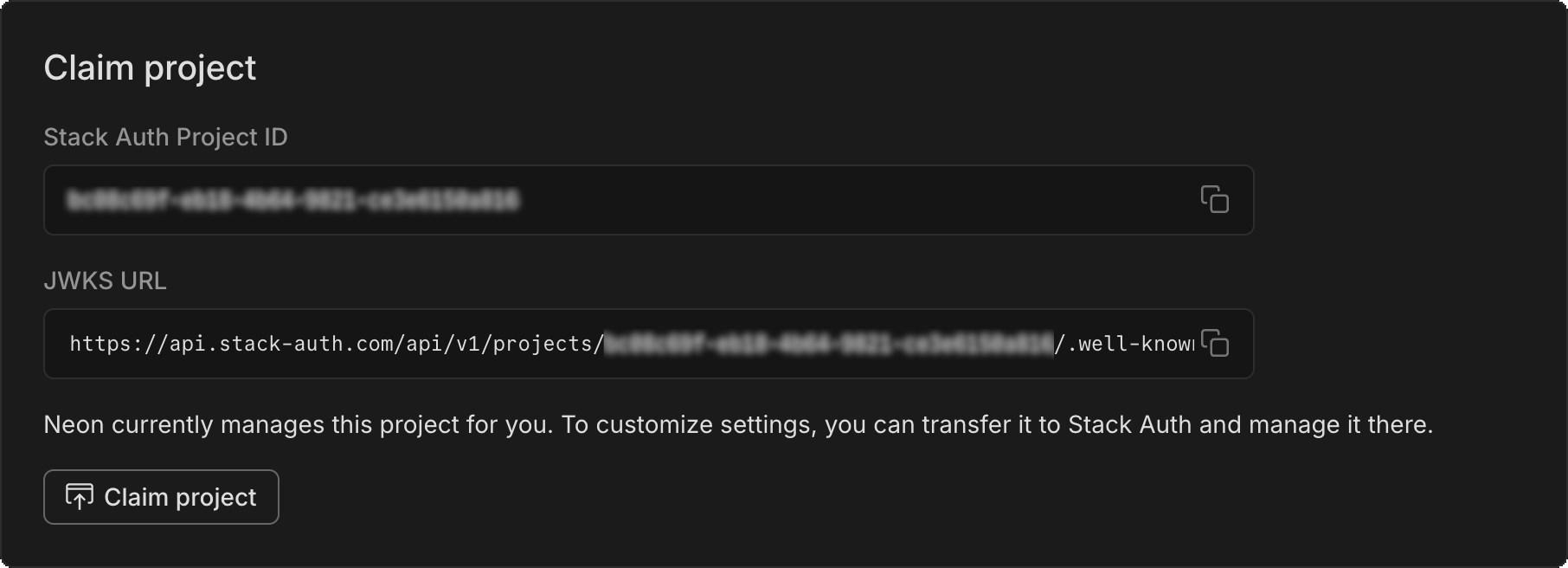
To get started adding RLS to your Neon Auth project:
- Copy the JWKS URL from the Configuration tab of your Auth page.
- Paste it into the RLS authentication provider setup on the Settings > RLS for your project.
- Follow our UI to get RLS set up for your tables.
See Neon RLS for more info.
New NAT gateway IP addresses
Section titled “New NAT gateway IP addresses”We've added new NAT gateway IP addresses in three AWS regions to expand infrastructure capacity. If you have external IP allowlists that enable connections from external services into Neon, update those allowlists soon to include the new addresses to avoid connectivity issues.
New IP addresses
Section titled “New IP addresses”AWS US East (N. Virginia) – aws-us-east-1
- 13.219.161.141
- 34.235.208.71
- 34.239.66.10
AWS US East (Ohio) – aws-us-east-2
- 3.16.227.37
- 3.128.6.252
- 52.15.165.218
AWS US West (Oregon) – aws-us-west-2
- 35.83.202.11
- 35.164.221.218
- 44.236.56.140
See our Regions documentation for the full list of NAT gateway IPs.
Support for Postgres Event Triggers
Section titled “Support for Postgres Event Triggers”The neon_superuser role now supports Postgres Event Triggers. Unlike regular triggers, which are attached to a single table and capture only DML events, event triggers are global to a particular database and are capable of capturing DDL events.
Event trigger support enables various tools and platforms that utilize this functionality, including pgroll, Zero, and Readyset, among others.
For more about event triggers, see PostgreSQL Event Trigger.
Instagres (formerly Neon Launchpad) now supports database seeding
Section titled “Instagres (formerly Neon Launchpad) now supports database seeding”Instagres enables instant provisioning of a Postgres database without configuration or account creation. If you're not familiar, you can learn more here: Instagres: A Tool For Instant Postgres, No Login Needed
Instagres now supports database seeding, allowing developers to automatically populate databases with SQL scripts during database initialization. This feature streamlines the development workflow by enabling instant database setup with sample data. The seeding capability is also available through the Vite plugin integration, making it accessible in Vite-based projects.
To try it from your terminal:
npx neon-new --seed /path/to/file.sqlUpdate: The CLI command was npx neondb at the time of this release; it's now npx neon-new.
For more details, see:
Scheduled maintenance for Business and Enterprise plans
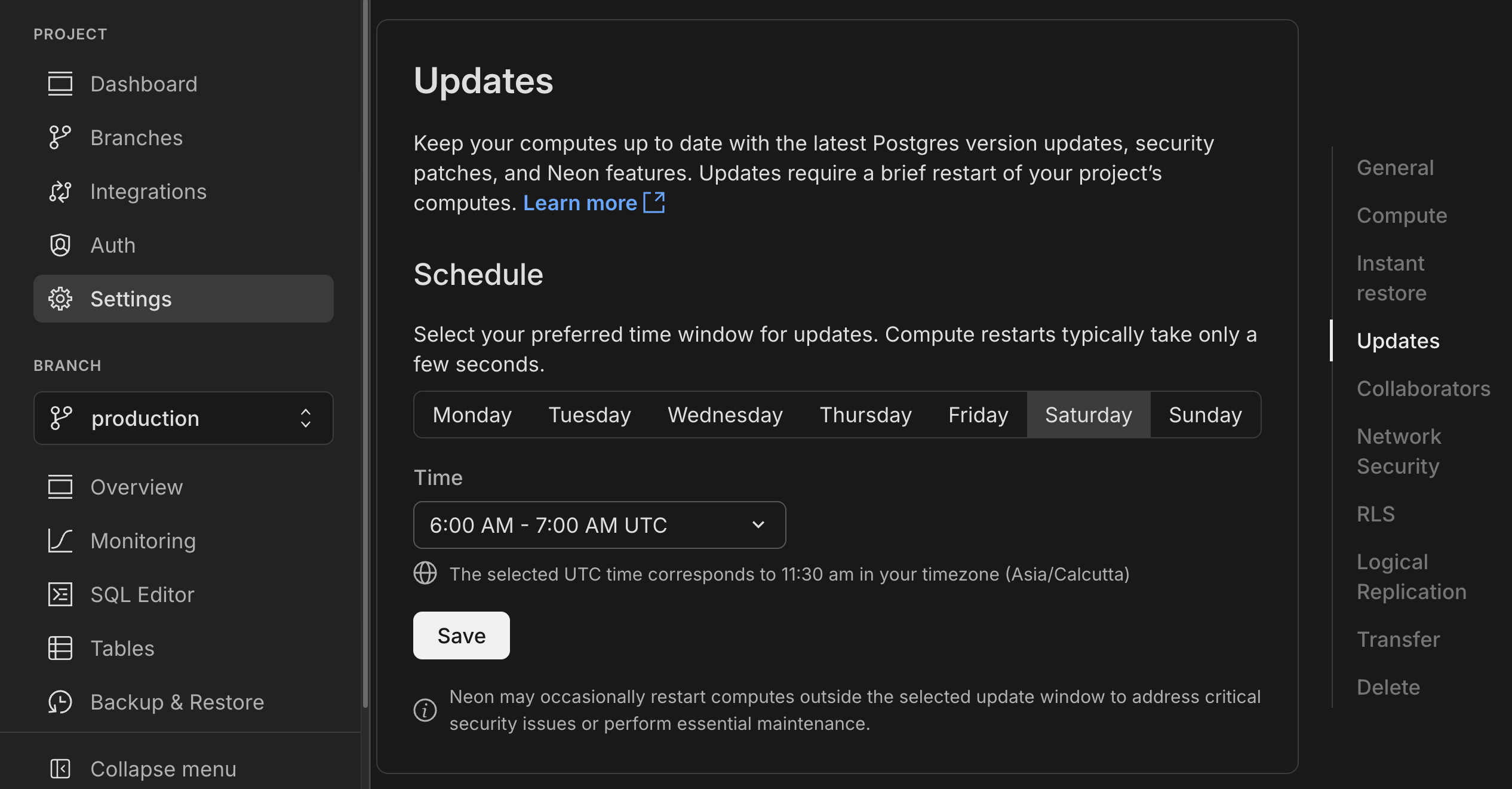
Section titled “Scheduled maintenance for Business and Enterprise plans”As announced earlier, we're rolling out scheduled updates that include Postgres version upgrades, security patches, and Neon feature improvements.
These updates are applied during your project's maintenance window or the next time the compute restarts. Most updates take only a few seconds.
Updates for Business amd Enterprise plan projects will begin rolling out on July 9, 2025; you'll receive an email notice for updates 7 days in advance. You can also check for update notices and configure your preferred update window in the Neon Console. Learn how.
Computes larger than 8 CU or those configured to autoscale beyond 8 CU are not updated automatically. You must restart these computes manually. See Updating large computes.
To apply updates ahead of schedule, see Applying updates ahead of schedule.
Need help? Reach out to Neon Support.
Fixes
- PgBouncer connections from the Neon proxy were not immediately closed when a compute was suspended. This left connections open until the TCP timeout expired, causing connection issues. Connections are now cleanly terminated when a compute suspends.
Neon API
- Added support for naming compute endpoints using a new
nameparameter in create and update operations:Bash curl -X POST 'https://console.neon.tech/api/v2/projects/your-project-id/endpoints' \ -H 'Authorization: Bearer $NEON_API_KEY' \ -H 'Content-Type: application/json' \ -d '{ "endpoint": { "name": "Production API", "branch_id": "br-your-branch-id" } }' - Added OAuth provider management endpoints for Neon Auth projects (Google, GitHub, Microsoft support)
POST /projects/{project_id}/auth/oauth_providers- Add new providersGET /projects/{project_id}/auth/oauth_providers- List configured providers
- Improved API documentation for project management endpoints to clarify organization and
org_idparameter requirements. See Personal vs organization API keys for details.
Neon Console
- Fixed autoscaling configuration errors that could sometimes occur after plan downgrade.