Neon Auth Plugins tab, Neon Skill for coding agents, Sentry and Neon MCP guide
Plugins tab for Neon Auth Organization settings
Section titled “Plugins tab for Neon Auth Organization settings”The Neon Auth page now includes a Plugins tab. Organization plugin settings (limits, creator role, invitation email) moved here from Configuration, so plugin-related options stay in one place.
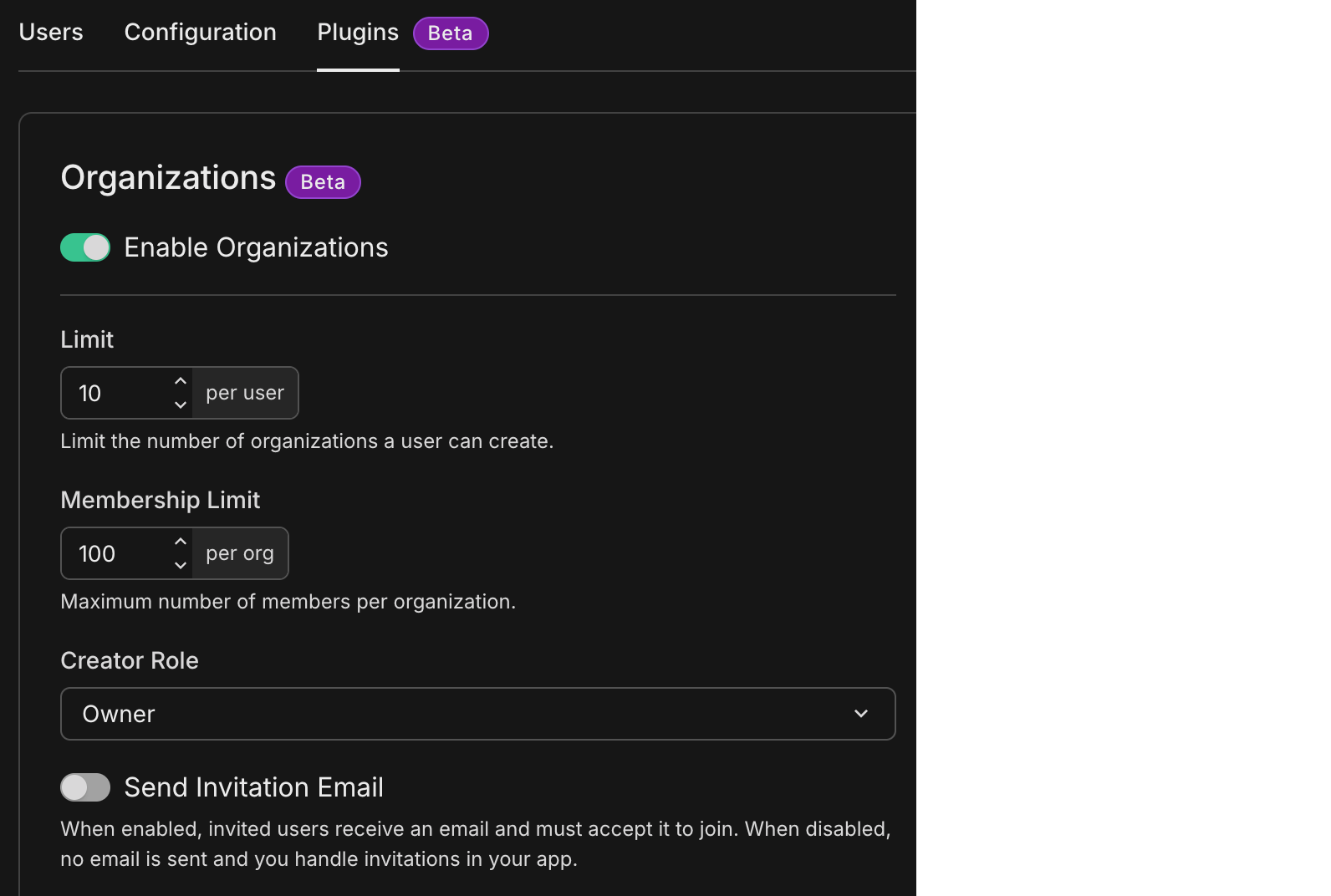
See Organization plugin for what each setting does and how it maps to your app.
Info: New to Neon Auth?
Neon Auth is Neon's managed authentication: users, sessions, and organizations live in your Neon database next to your app data. For overviews, quick starts, plugins, and SDKs, see the Neon Auth documentation.
Upgrade your coding agent with the Neon Skill
Section titled “Upgrade your coding agent with the Neon Skill”skills.sh is a registry of reusable Agent Skills for compatible coding assistants. Add the Neon skill from neon-postgres on skills.sh so your assistant gets structured guidance for Neon Postgres: connections, branching, Neon Auth, APIs, CLI, and MCP.
Watch the demo below to learn more.
Other ways to install (including Cursor, Claude Code, npx skills, and neonctl init) are covered in Agent Skills.
Diagnose production errors with Sentry, Neon MCP, and database branching
Section titled “Diagnose production errors with Sentry, Neon MCP, and database branching”Diagnosing and fixing production errors with Sentry and Neon MCP shows how to connect an AI agent (such as Cursor) to the Sentry and Neon MCP servers. You pull stack traces and the failing query from Sentry, then use Neon branching to create an isolated database copy, apply and validate fixes (for example with EXPLAIN ANALYZE), and ship the change to production when you are ready.