Changelog Sep 18, 2026 - Neon
The Neon backend is generally available
The Neon backend is generally available
Section titled “The Neon backend is generally available”Neon started as serverless Postgres. Now you get the whole backend, and all of it branches. Every branch is a full copy, so a PR, preview, or agent session gets your entire backend, not just the database. Evolve your schema, storage, auth, and functions together on a preview branch, isolated from production.
▶️ Watch the walkthrough to see how it all fits together.
 Lakebase Postgres 100% Postgres on the Lakebase architecture: autoscaling, scale to zero, and a branch for every PR, preview, or agent session.
- Object Storage S3-compatible object storage that branches with your data, so files and rows stay in sync across branches.
- Auth Managed Better Auth: users and sessions live in your neon_auth schema, queryable with SQL and protected by RLS.
- Functions Long-running Node.js compute next to your database, now with triggers and custom domains.
- AI Gateway One credential for frontier and open-weight models at provider prices with no markup. Buy prepaid credits to use it.
- Data API An instant REST endpoint over your Postgres tables, no backend server required.
How to get started
Building with a coding agent? neon skills installs the Neon agent skills into your assistant (Cursor, Claude Code, Codex, and more), so it knows how to provision and wire the whole backend.
neon skillsHowever you build, your whole backend is declared in one neon.ts file and applied with neon deploy, whether your agent writes it or you do:
// neon.ts
import { defineConfig } from '@neon/config/v1';

export default defineConfig({
  auth: true, // managed authentication
  buckets: { uploads: {} }, // S3-compatible object storage
  functions: { api: { source: './functions/api.ts' } }, // serverless compute
  aiGateway: true, // one API for many LLMs
});
Get started with How a Neon backend fits together or the full-stack quickstart, or scaffold a working example with neon bootstrap. Read the launch blog post for the full story.
New with the GA release
Section titled “New with the GA release”Function Triggers
Section titled “Function Triggers”Turn an upload into a pipeline or run a job on a schedule, without standing up a queue or a cron server. A Function Trigger invokes a deployed Function on a schedule or an event, and fires even when the compute is scaled to zero. Two trigger types are available now, with more on the way:
- Schedule: a UTC cron expression, for recurring work like a nightly rollup or a health check.
- Object created: fires when a file lands in an Object Storage bucket (optionally under a key prefix), so an upload can kick off processing like generating a thumbnail.
Declare a trigger in neon.ts, or use the Console, CLI, or API:
// neon.ts
functions: {
  reports: { name: 'Reports', source: './functions/reports.ts' },
},
triggers: {
  nightly: {
    type: 'schedule',
    function: 'reports',
    cron: '0 6 * * *',
  },
},
See Function Triggers.
Custom domains for Functions
Section titled “Custom domains for Functions”Ship your public API or webhook on a domain you own, like api.example.com, instead of the native Neon URL. Point a CNAME at the target Neon gives you, and Neon provisions the TLS certificate automatically. Declare it in neon.ts:
// neon.ts
functions: {
  api: {
    source: './functions/api.ts',
    customDomains: ['api.example.com'],
  },
},
Domains are branch-scoped, so a preview branch can serve from its own hostname while production keeps yours. See Custom domains.
Prepaid credits for the AI Gateway
Section titled “Prepaid credits for the AI Gateway”You can now buy prepaid credits for the AI Gateway from the Console. Credits draw down as you send inference requests, at provider list prices with no markup. See AI Gateway prepaid credits.
More regions
Section titled “More regions”Object Storage, Functions, and AI Gateway now run in four AWS regions: US East (Ohio), US East (N. Virginia), Europe (Frankfurt), and Asia Pacific (Singapore), with more coming.
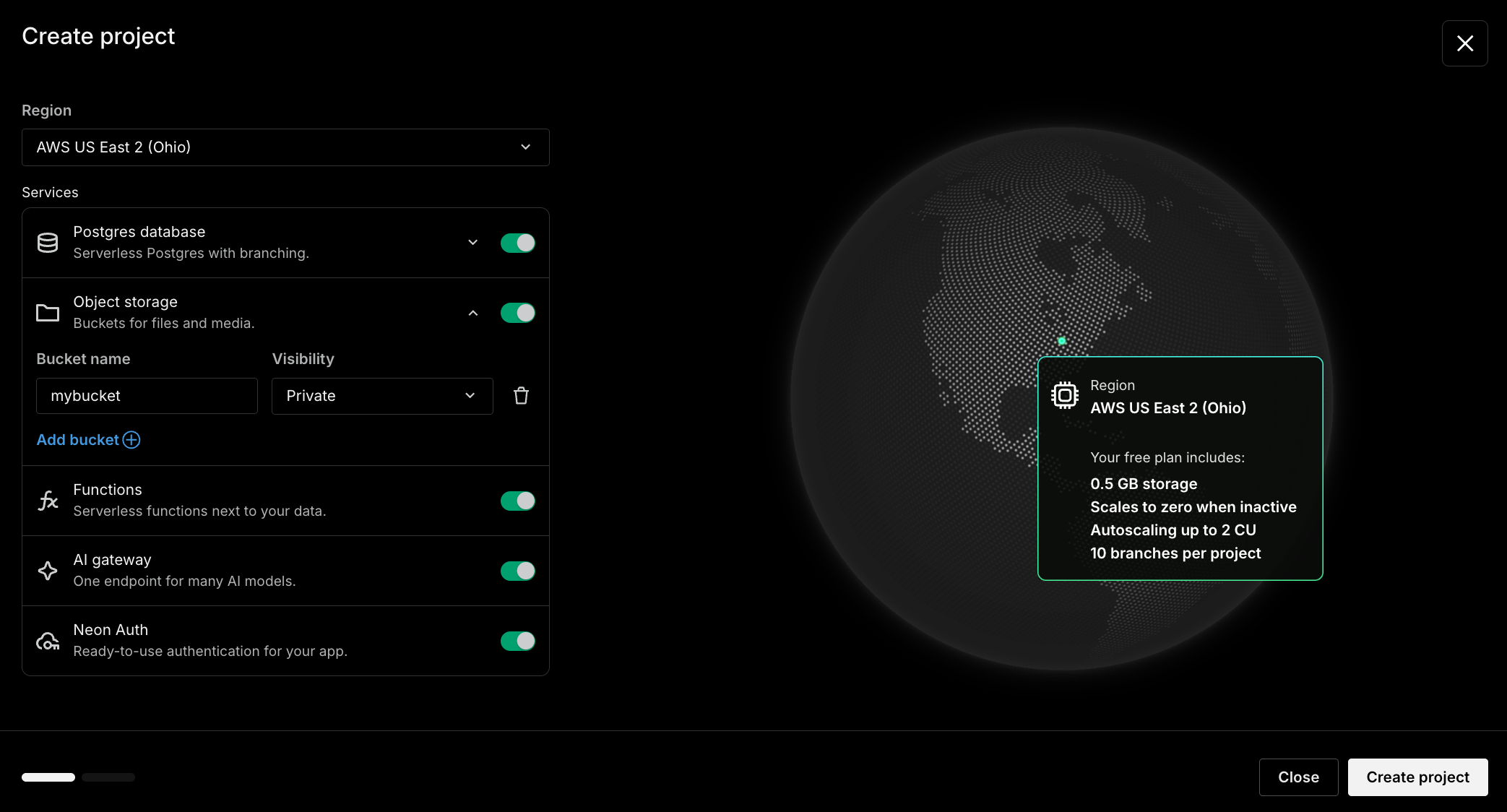
Turn on the backend when you create a project
Section titled “Turn on the backend when you create a project”Adopting the backend now starts at project creation. You can now enable Object Storage, Functions, AI Gateway, and Auth alongside Postgres when you first create your project, so it comes up with your whole stack already wired. You will only see services that are supported in your selected region.
A redesigned project settings page
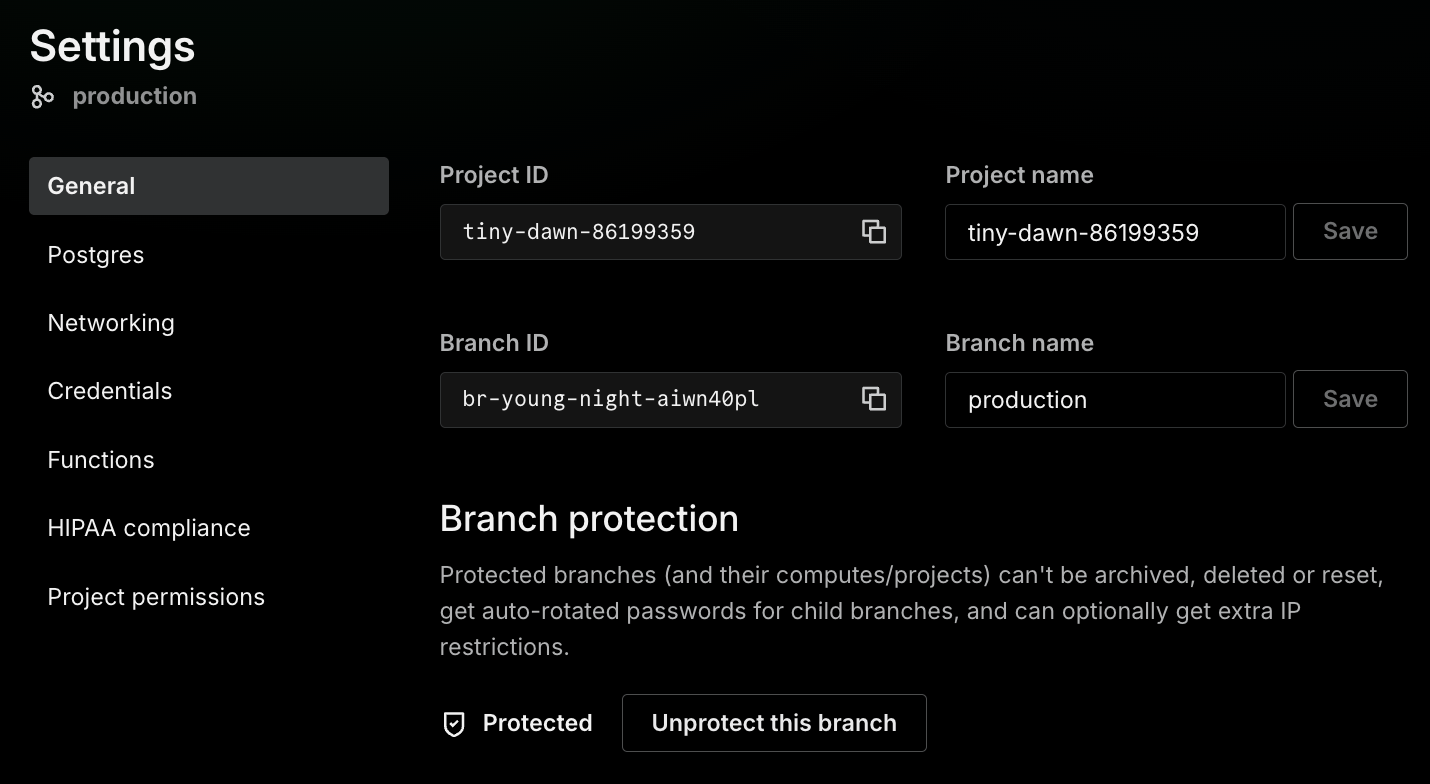
Section titled “A redesigned project settings page”The project Settings page has a cleaner, tabbed layout (General, Postgres, Networking, Credentials, Auth, Functions, HIPAA compliance, and Sharing) that groups related controls and labels project-wide settings as Applies to all branches. Setting your default branch on the General tab is now project-scoped: use Change default branch to pick any branch.
Organizations and account settings moved to the profile menu
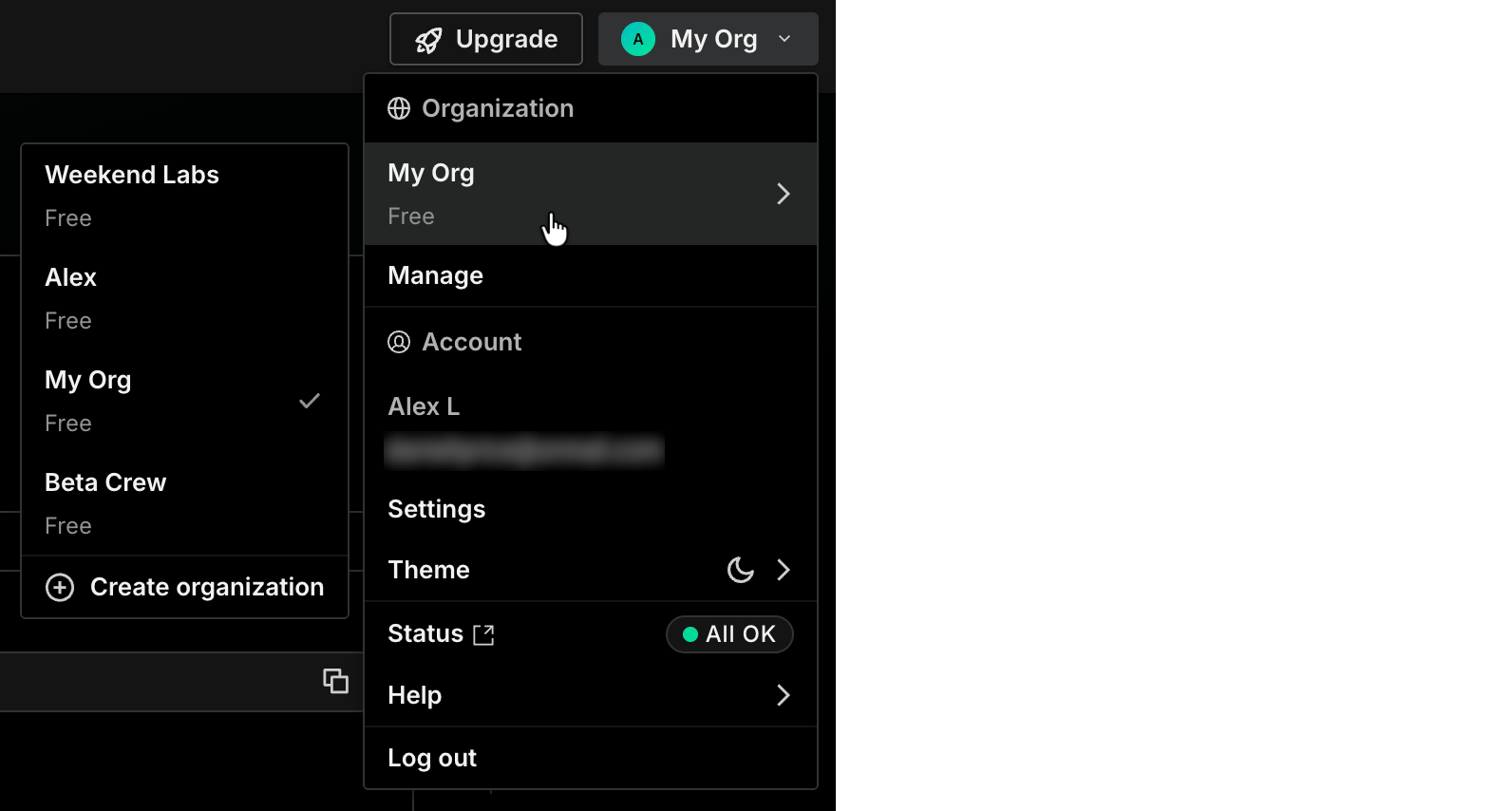
Section titled “Organizations and account settings moved to the profile menu”Switching and creating organizations, organization management, account settings, theme, Neon status, and help now live in one profile menu in the top-right corner of the Console.
Fixes & improvements
Section titled “Fixes & improvements”SDK
@neon/sdkuses named parameters. Resource methods now take a single named parameter object, for exampleneon.branches.get({ projectId, branchId }), instead of positional arguments. This is a breaking change; the SDK is now on v6. See the TypeScript SDK reference.- Parse trigger deliveries with
@neon/functions.parseTriggerDeliveryandparseTriggerInvocationfrom@neon/functions/triggersvalidate schedule andstorage_object_createddeliveries, so handlers don't hand-check headers.
neon.ts config
- Backend services are GA in
neon.ts. DeclareaiGateway,functions, andbucketsas top-level keys indefineConfig, alongsideauthanddataApi. The oldpreviewblock still works but is deprecated and warns onneon deploy. See theneon.tsreference. - Declare Function triggers and custom domains in
neon.ts. Custom domains andstorage_object_createdand schedule triggers can be declared inneon.tsand reconciled byneon deploy.
CLI
neon initscaffolds the Data API. You can now include the Data API when scaffolding aneon.ts. See theneon initreference.
New NAT gateway IPs and Private Networking endpoints in sa-east-1
- Added NAT gateway IP addresses and a Private Networking VPC endpoint service name in AWS South America (São Paulo) (
sa-east-1). If you allowlist Neon's outbound IPs, add the new addresses from the Regions page, or outbound connections can fail intermittently. If you use Private Networking in this region, add the new service name from the Private Networking guide.