Monitor Neon with pgAdmin
pgAdmin is a database management tool for Postgres that supports various database tasks, including monitoring performance metrics. With pgAdmin, you can monitor real time activity for a variety of met...
pgAdmin is a database management tool for Postgres that supports various database tasks, including monitoring performance metrics.
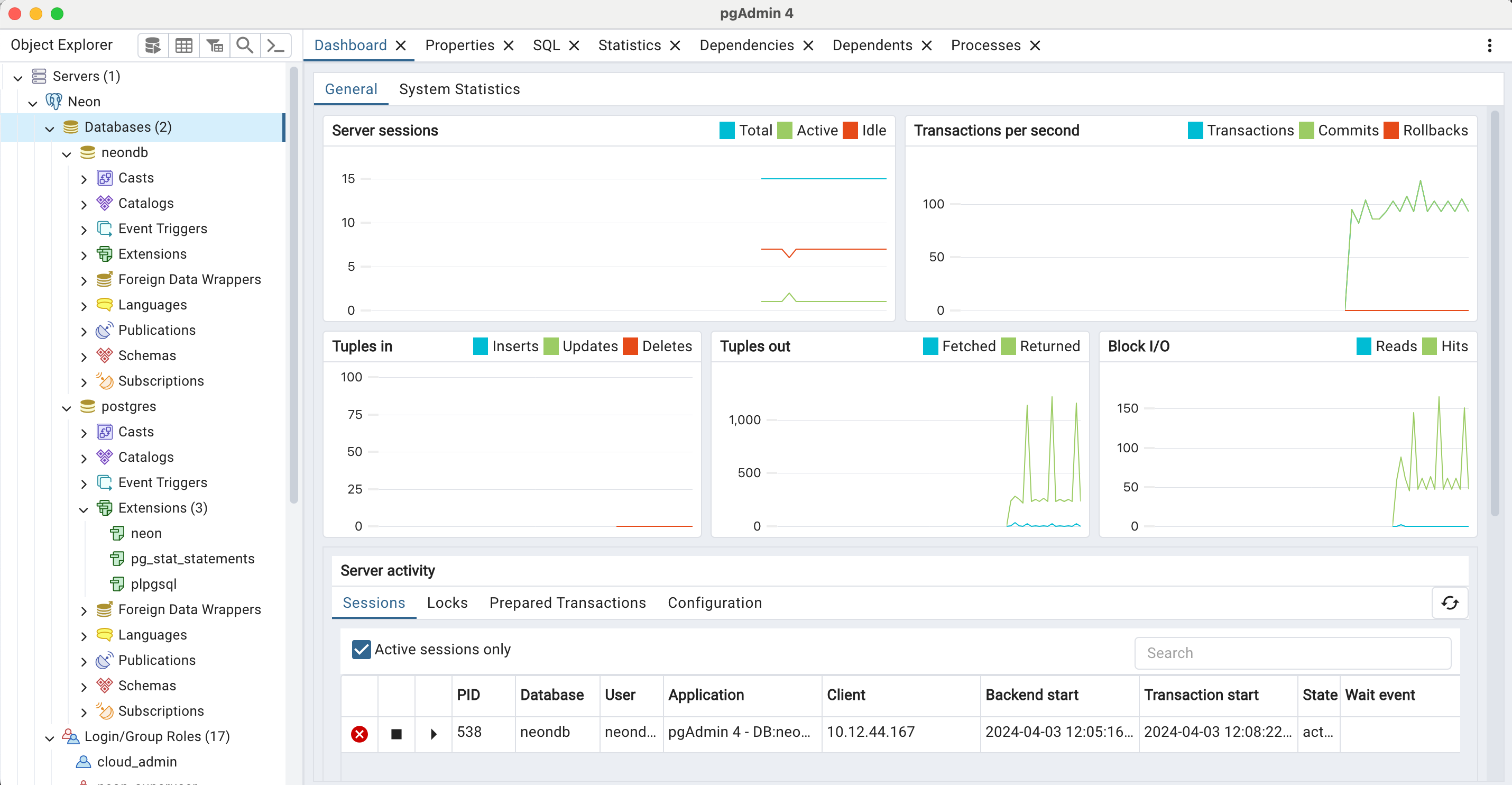
With pgAdmin, you can monitor real-time activity for a variety of metrics including:
- Active sessions (Total, Active, and Idle)
- Transactions per second (Transactions, Commits, Rollbacks)
- Tuples in (Inserts, Updates, Deletes)
- Tuples out (Fetched, Returned)
- Block I/O for shared buffers (see Cache your data for information about Neon's compute cache)
- Database activity (Sessions, Locks, Prepared Transactions)
How to install pgAdmin
Section titled “How to install pgAdmin”Pre-compiled and configured installation packages for pgAdmin 4 are available for different desktop environments. For installation instructions, refer to the pgAdmin deployment documentation. Downloads can be found on the PgAdmin Downloads page.
How to connect to your database from pgAdmin
Section titled “How to connect to your database from pgAdmin”Find the connection string for your database by clicking the Connect button in the Console nav.
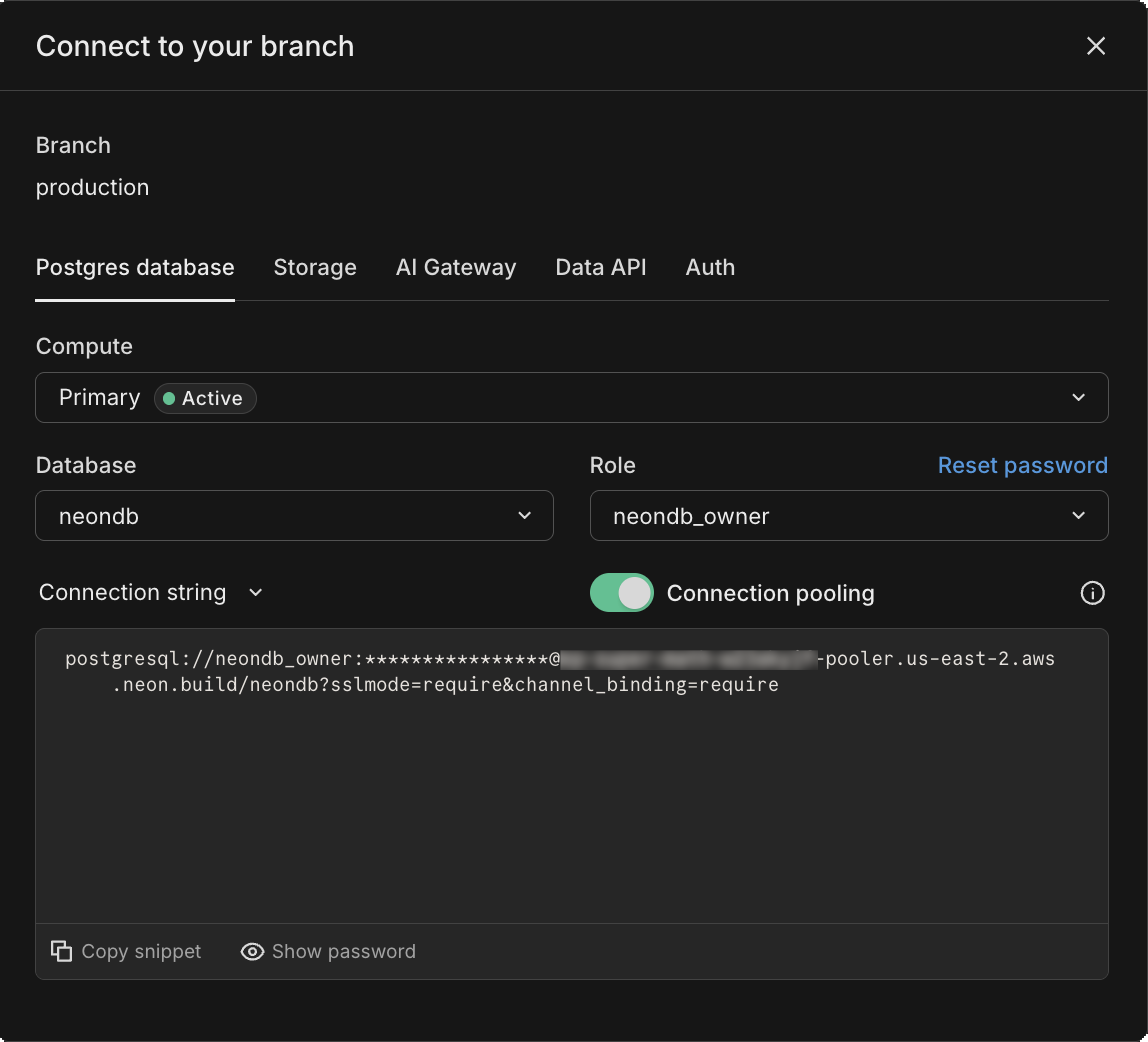
Enter your connection details as shown here.
Neon uses the default Postgres port: 5432
Need help?
Section titled “Need help?”Join our Discord Server to ask questions or see what others are doing with Neon. For paid plan support options, see Support.