Open API
Managed Better Auth is built on Better Auth and comes with the Open API plugin enabled by default. You do not need to manually install or configure it. The OpenAPI plugin provides two main features 1....
Managed Better Auth is built on Better Auth and comes with the Open API plugin enabled by default. You do not need to manually install or configure it.
The OpenAPI plugin provides two main features:
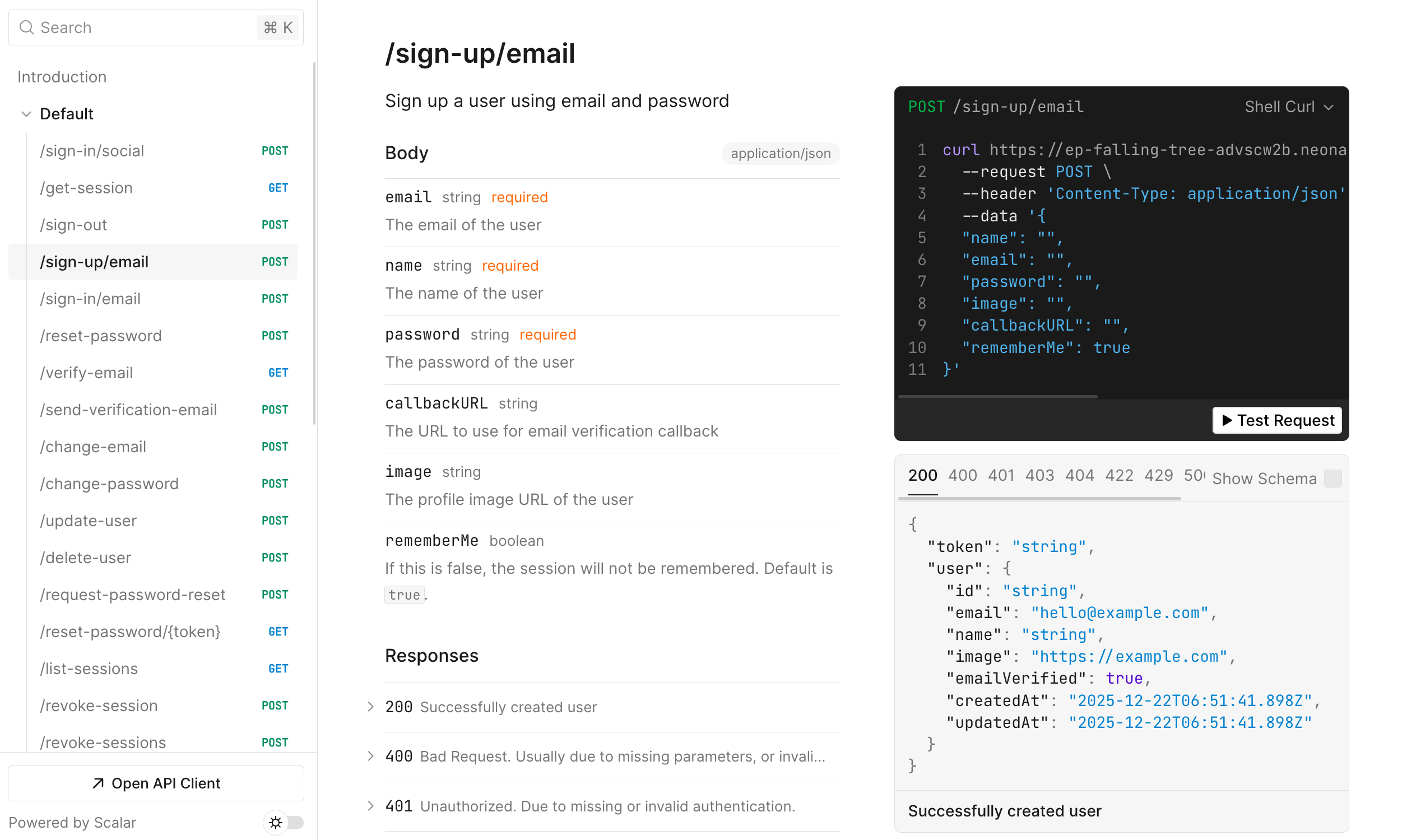
- An interactive API reference UI (powered by Scalar) to explore and test all available Managed Better Auth endpoints.
- A JSON Schema endpoint that you can use to generate type-safe clients for your application.
Prerequisites
Section titled “Prerequisites”- A Neon project with Auth enabled.
Accessing the API reference
Section titled “Accessing the API reference”You can view the interactive documentation for your specific project by appending /reference to your Managed Better Auth URL.
URL Format:
<YOUR_NEON_AUTH_URL>/referenceExample: https://ep-xxx.aws.neon.tech/neondb/auth/reference
This interface allows you to:
- Browse all available endpoints (grouped by Core, Session, User, Plugins, etc).
- View request and response schemas.
- "Try it out": Make real API requests against your database directly from the browser.
JSON schema
Section titled “JSON schema”If you need the raw OpenAPI 3.x specification (for example, to import into Postman or Insomnia), it is available at the /open-api/generate-schema endpoint.
URL format:
<YOUR_NEON_AUTH_URL>/open-api/generate-schemaThis endpoint returns a standard JSON object describing your authentication API.
Generating API clients
Section titled “Generating API clients”One of the most powerful use cases for the OpenAPI plugin is generating type-safe API clients for languages that do not yet have a dedicated Managed Better Auth SDK, or for server-side integration where you prefer raw fetch calls.
Using Scalar SDK generator
Section titled “Using Scalar SDK generator”If you're using Next.js, you can access the OpenAPI reference page at /api/auth/reference in your application, once Managed Better Auth is set up according to the Next.js quick start. Unlike the default Managed Better Auth reference page, this version can be fully customized to match your application's theme. It also provides additional options, such as generating SDK clients in multiple languages using Scalar's built‑in tools.
Limitations
Section titled “Limitations”Because Managed Better Auth is a managed service, the OpenAPI configuration is preset:
- Path: The reference UI is always served at
/reference. - Theme: The UI uses the default Scalar theme and cannot be customized.
- Discovery: The reference doc automatically reflects the plugins enabled in your Managed Better Auth instance.
Need help?
Section titled “Need help?”Join our Discord Server to ask questions or see what others are doing with Neon. For paid plan support options, see Support.