Connect from Knex to Neon
Knex is an open source SQL query builder for Postgres. This guide covers the following topics Connect to Neon from Knex Use connection pooling with Knex Performance tips Connect to Neon from Knex. To ...
Knex is an open-source SQL query builder for Postgres. This guide covers the following topics:
Connect to Neon from Knex
Section titled “Connect to Neon from Knex”To establish a basic connection from Knex to Neon, perform the following steps:
-
Find your database connection string by clicking the Connect button in the Console nav to open the Connect to your branch modal. Select a branch, a user, and the database you want to connect to. A connection string is constructed for you.
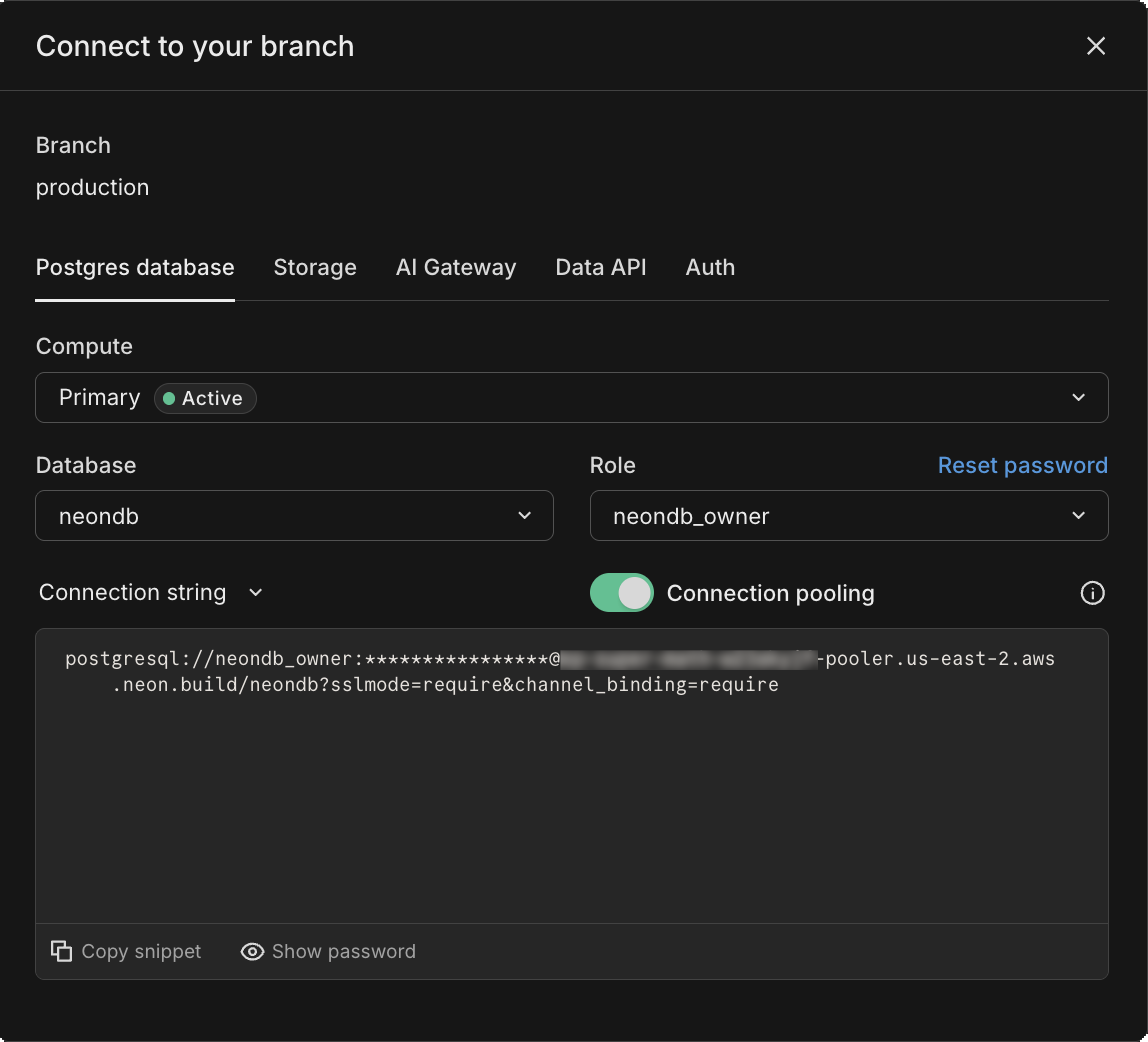 The connection string includes the user name, password, hostname, and database name.
 -
Update the Knex's initialization in your application to the following:
TypeScript export const client = knex({ client: 'pg', connection: { connectionString: process.env.DATABASE_URL, }, }); -
Add a
DATABASE_URLvariable to your.envfile and set it to the Neon connection string that you copied in the previous step. We also recommend adding?sslmode=require&channel_binding=requireto the end of the connection string to ensure a secure connection.Your setting will appear similar to the following:
DATABASE_URL="postgresql://[user]:[password]@[neon_hostname]/[dbname]?sslmode=require&channel_binding=require"
Use connection pooling with Knex
Section titled “Use connection pooling with Knex”Serverless functions can require a large number of database connections as demand increases. If you use serverless functions in your application, we recommend that you use a pooled Neon connection string, as shown:
# Pooled Neon connection string
DATABASE_URL="postgresql://alex:AbC123dEf@ep-cool-darkness-123456-pooler.us-east-2.aws.neon.tech/dbname?sslmode=require&channel_binding=require"
A pooled Neon connection string adds -pooler to the endpoint ID, which tells Neon to use a pooled connection. You can add -pooler to your connection string manually or copy a pooled connection string by clicking the Connect button in the Console nav to open the Connect to your branch modal. Enable the Connection pooling toggle to add the -pooler suffix.
Performance tips
Section titled “Performance tips”This section outlines performance optimizations you can try when using Knex with Neon.
Enabling NODE_PG_FORCE_NATIVE
Section titled “Enabling NODE_PG_FORCE_NATIVE”Knex leverages a node-postgres Pool instance to connect to your Postgres database. Installing pg-native and setting the NODE_PG_FORCE_NATIVE environment variable to true switches the pg driver to pg-native, which can produce noticeably faster response times according to some users.
Replacing query parameters
Section titled “Replacing query parameters”You may be able to achieve better performance with Knex by replacing any parameters you've defined in your queries, as performed by the following function, for example:
// Function to replace query parameters in a query
function replaceQueryParams(query, values) {
  let replacedQuery = query;
  values.forEach((tmpParameter) => {
    if (typeof tmpParameter === 'string') {
      replacedQuery = replacedQuery.replace('?', `'${tmpParameter}'`);
    } else {
      replacedQuery = replacedQuery.replace('?', tmpParameter);
    }
  });
  return replacedQuery;
}

// So instead of this
await client.raw(text, values);

// Do this to get better performance
await client.raw(replaceQueryParams(text, values));
Need help?
Section titled “Need help?”Join our Discord Server to ask questions or see what others are doing with Neon. For paid plan support options, see Support.