Replicate data with Inngest
Neon's logical replication feature allows you to replicate data from your Lakebase Postgres database to external destinations. Inngest is a durable workflow platform that allows you to trigger workflo...
Neon's logical replication feature allows you to replicate data from your Lakebase Postgres database to external destinations.
Inngest is a durable workflow platform that allows you to trigger workflow based on Neon database changes. With its native Neon integration, it is the easiest way to set up data replication with custom transformations or 3rd party API destinations (ex, Neon to Amplitude, Neon to S3).
In this guide, you will learn how to configure your Inngest account for ingesting changes from your Neon database, enabling you to replicate data from Lakebase Postgres to Inngest workflows.
Prerequisites
Section titled “Prerequisites”- A Inngest account
- A Neon account
- Read the important notices about logical replication in Neon before you begin
Enabling Logical Replication on your database
Section titled “Enabling Logical Replication on your database”The Inngest Integration relies on Neon’s Logical Replication feature to get notified upon database changes.
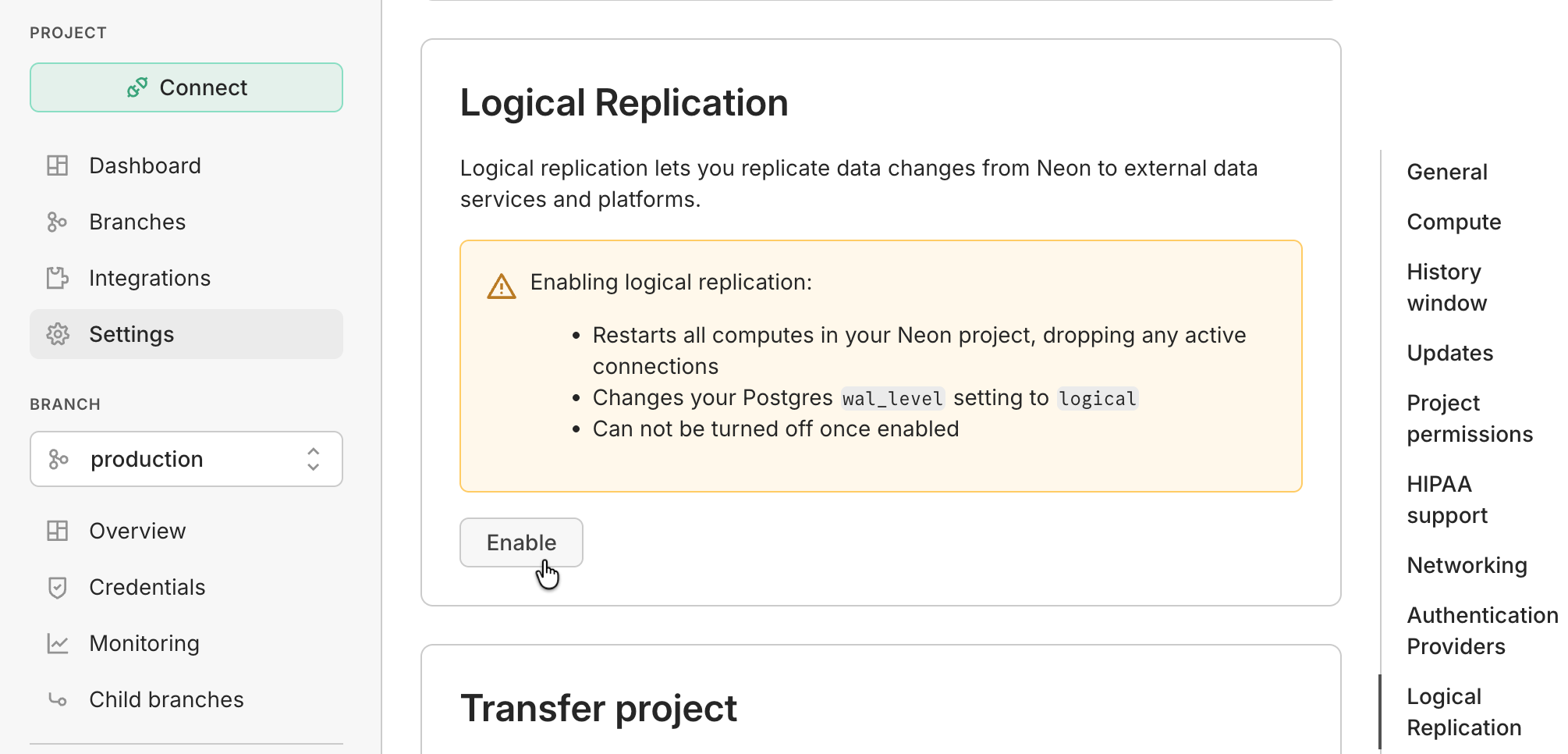
Navigate to your Neon Project using the Neon Console and open the Settings > Postgres page. From here, follow the instructions to enable Logical Replication:
Configuring the Inngest integration
Section titled “Configuring the Inngest integration”Your Neon database is now ready to work with Inngest.
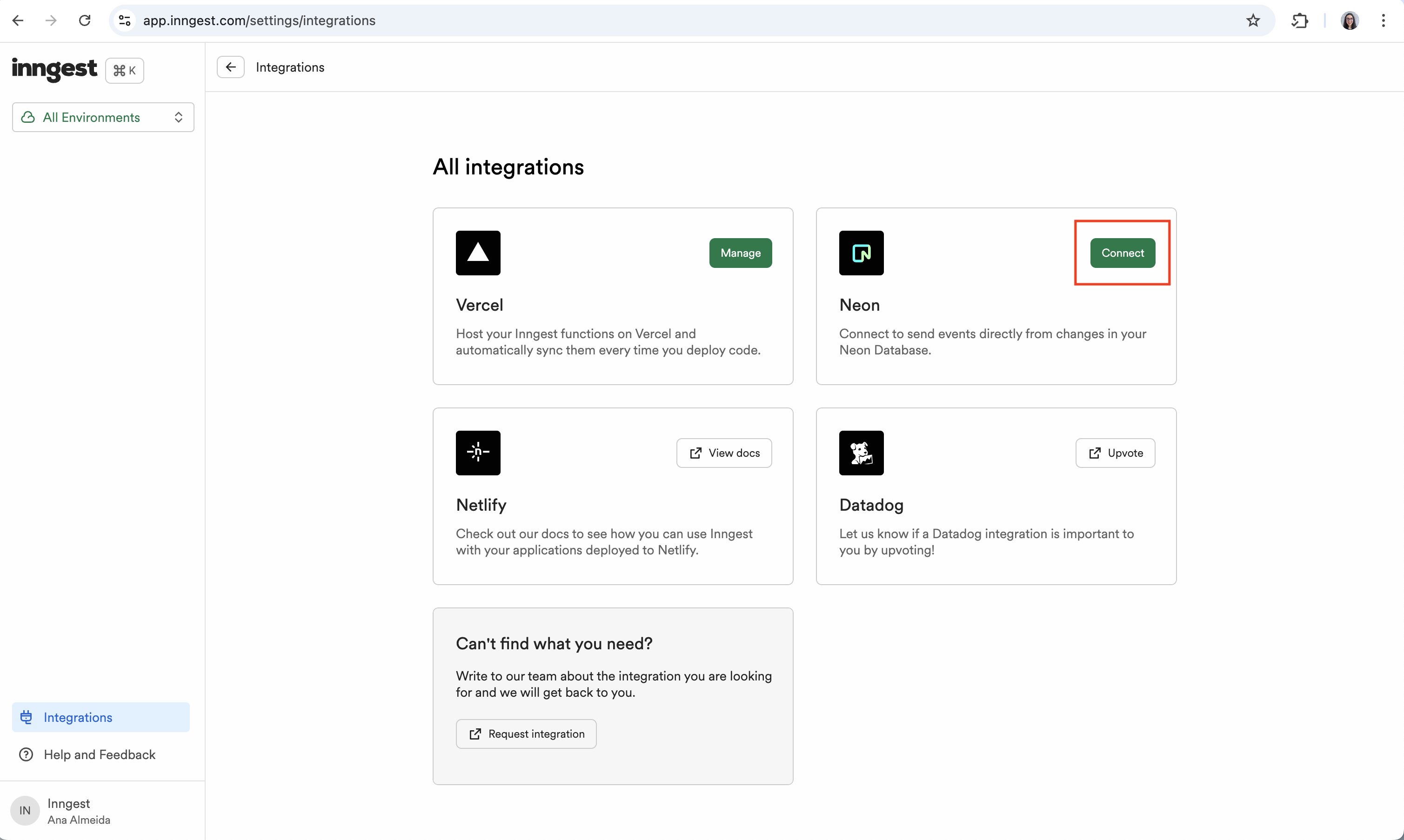
To configure the Inngest Neon Integration, navigate to the Inngest Platform, open the Integrations page, and follow the instructions of the Neon Integration installation wizard:
The Inngest Integration requires Postgres admin credentials to complete its setup. These credentials are not stored and are only used during the installation process.
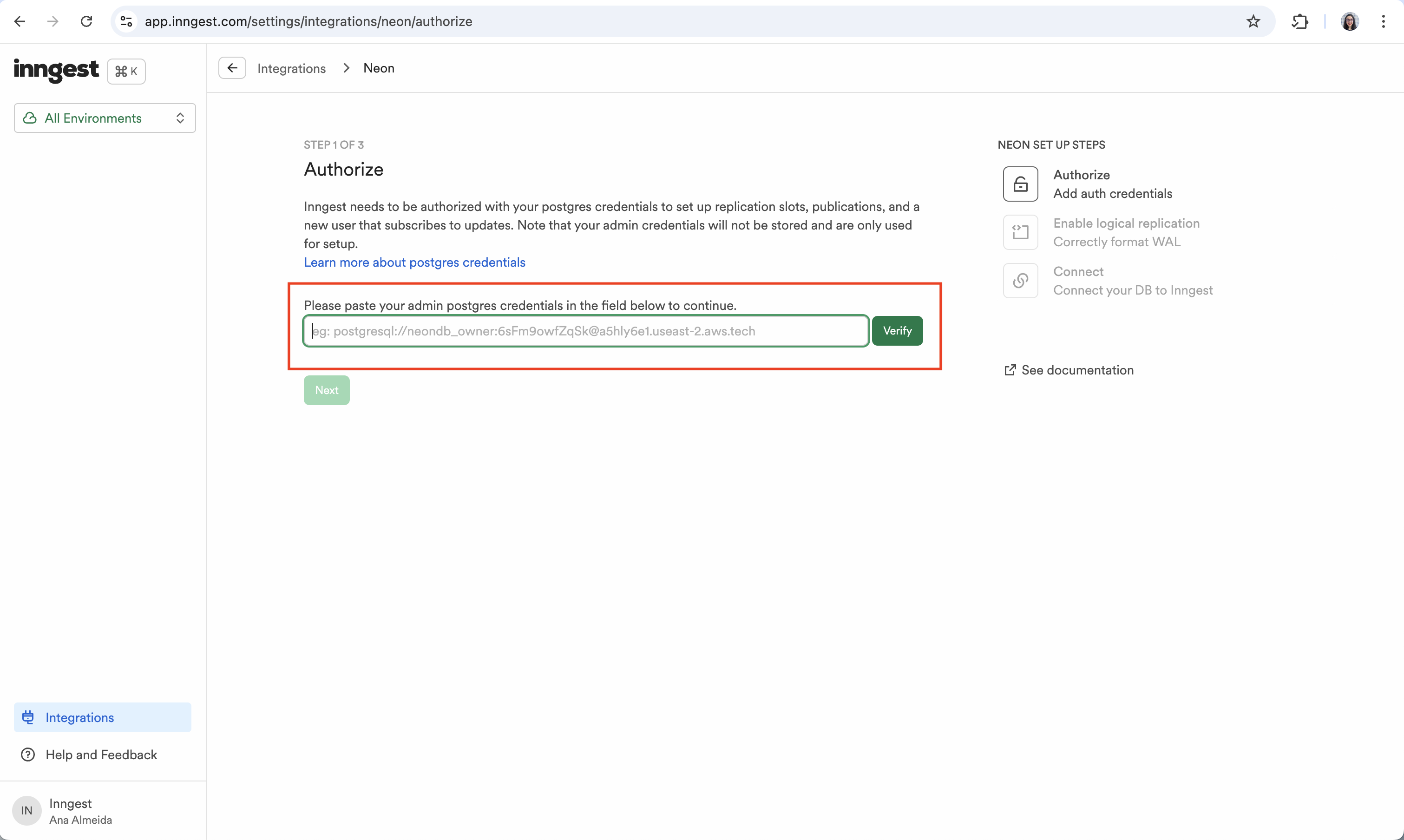
You can find your admin Neon database connection credentials by clicking the Connect button in the Console nav to open the Connect to your branch modal. For details, see Connect from any application. Use a direct connection, not a pooled connection. Logical replication requires a persistent connection and is not compatible with connection poolers, so make sure the connection string does not include -pooler in the hostname. See Connection pooling.
Example: Replicating data to Amplitude
Section titled “Example: Replicating data to Amplitude”The below example demonstrates how to replicate new users table rows to Amplitude using Amplitude's API.
Once the Inngest integration is installed, a flow of "db/*" events will be created when updates are made to your database.
For example, if you create a new user in your database, a "db/users.updated" event will be created:
{
  "name": "db/users.updated",
  "data": {
    "new": {
      "id": {
        "data": 2,
        "encoding": "i"
      },
      "name": {
        "data": "Charly",
        "encoding": "t"
      },
      "email": {
        "data": "charly@inngest.com",
        "encoding": "t"
      }
    },
    "table": "users",
    "txn_commit_time": "2024-09-24T14:41:19.75149Z",
    "txn_id": 36530520
  },
  "ts": 1727146545006
}
Such events can be used to trigger Inngest functions to transform and replicate data to external destinations like Amplitude:
// inngest/functions/users-replication.ts
import { inngest } from './client';

export const updateAmplitudeUserMapping = inngest.createFunction(
  { id: 'update-amplitude-user-mapping' },
  { event: 'db/users.updated' },
  async ({ event, step }) => {
    // Extract the user data from the event
    const { data } = event;
    const { id, email } = data.new;

    // Update the user mapping in Amplitude
    await step.run('update-amplitude-user-mapping', async () => {
      const response = await fetch(
        `https://api.amplitude.com/usermap?mapping=[{"user_id":"${id}", "global_user_id": "${email}"}]&api_key=${process.env.AMPLITUDE_API_KEY}`
      );

      if (!response.ok) {
        throw new Error(`Failed to send user data to Amplitude: ${response.statusText}`);
      }

      return response.json();
    });

    return { success: true };
  }
);
Need help?
Section titled “Need help?”Join our Discord Server to ask questions or see what others are doing with Neon. For paid plan support options, see Support.