Connect Vercel and Neon manually
When to use manual connections over integrations How to connect using environment variables Advanced CI/CD automation options Vercel Managed Integration Neon Managed Integration Automate branching wit...
What you will learn:
Section titled “What you will learn:”- When to use manual connections over integrations
- How to connect using environment variables
- Advanced CI/CD automation options
Related topics
Section titled “Related topics”When to choose this path
Section titled “When to choose this path”Choose manual connection if you prefer not to install a Marketplace integration. This approach is ideal when you:
- Deploy via a custom pipeline (self-hosted CI, monorepo, etc.)
- Need non-Vercel hosting (for example Cloudflare Workers + Vercel Functions hybrid)
- Want full control over branch naming, seeding, migration, or teardown
If you simply want Neon and Vercel with minimal setup, stick to the managed integrations. They're simpler and include UI support.
Prerequisites
Section titled “Prerequisites”- Neon project with database (get a connection string via Connect in the Console)
- Deployed Vercel project
Connection steps
Section titled “Connection steps”-
Copy the connection string from the Neon Console. Click Connect in the Console nav, select the branch, role, and database you want, then copy the Connection string.
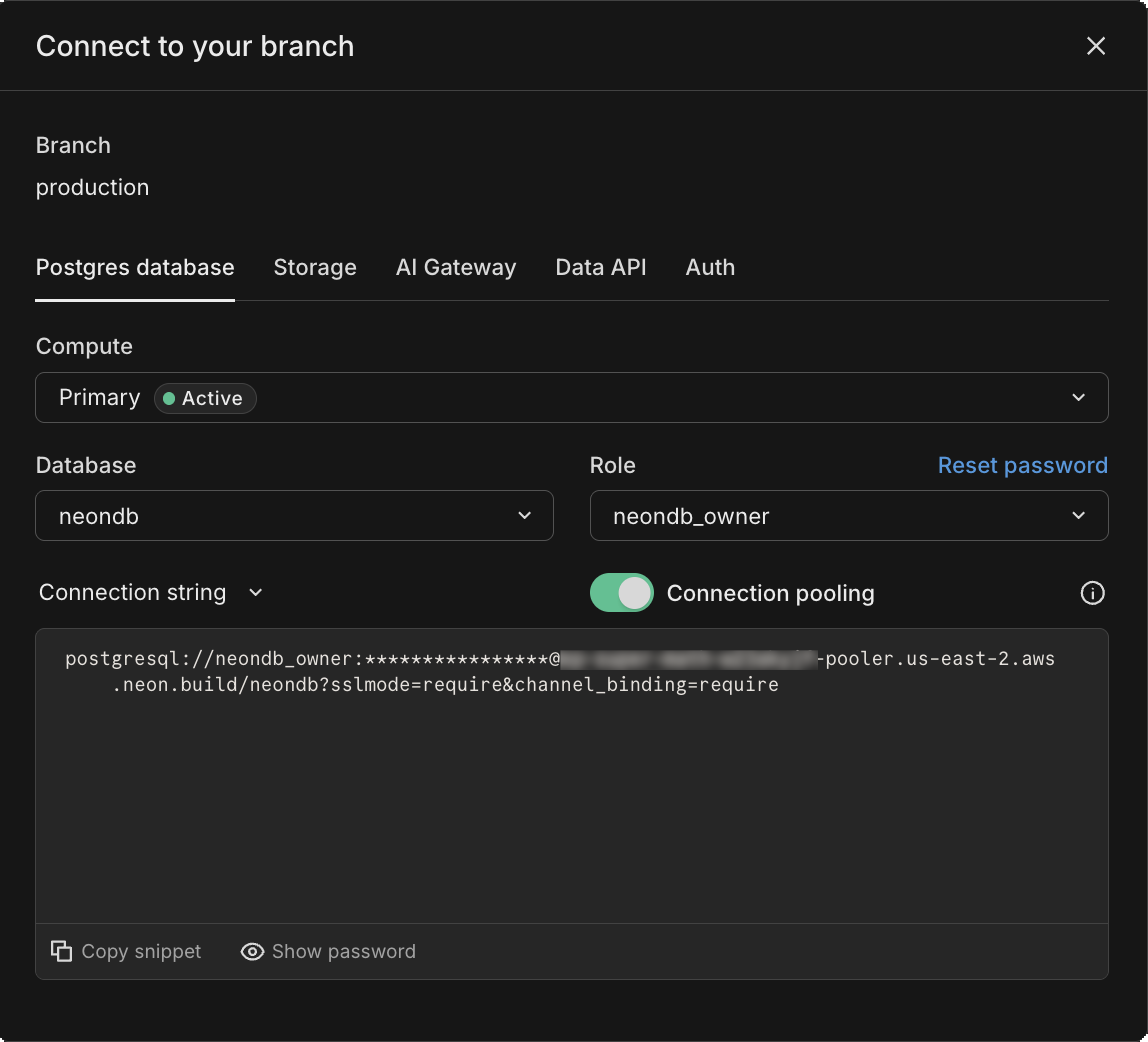
For example:
postgresql://alex:AbC123dEf@ep-cool-darkness-123456.us-east-2.aws.neon.tech/dbname?sslmode=require&channel_binding=require ^ ^ ^ |- <role> |- <hostname> |- <database> -
In the Vercel dashboard, open your project and navigate to Settings → Environment Variables.
-
Add either:
Key: DATABASE_URL
Value: <your connection string>
or the granular
PG*variables:PGUSER=alex PGHOST=ep-cool-darkness-123456.us-east-2.aws.neon.tech PGDATABASE=dbname PGPASSWORD=AbC123dEf PGPORT=5432 -
Select which environments need database access (Production, Preview, Development) and click Save.
-
Redeploy your application (or wait for your next deployment) for the variables to take effect.
That's it. Your Vercel app now connects to Neon just like any other Postgres database.
CI/CD-based Preview Branching (GitHub Actions)
Section titled “CI/CD-based Preview Branching (GitHub Actions)”Looking for a full CI/CD recipe? See Automate branching with GitHub Actions.
Need help?
Section titled “Need help?”Join our Discord Server to ask questions or see what others are doing with Neon. For paid plan support options, see Support.